You can help support this website by buying me a coffee!

How to increase the size of a Linux Virtual Machine hard disk using GParted
In this example, we are increasing the size of a hard disk for a Debian Linux virtual machine running on Proxmox
Running the df command shows that the primary partition /dev/sda1 is 100% used and has run out of space

Hardware - select Hard Disk - Resize disk

Increase the size of the disk, e.g. add 10GB

https://gparted.org/download.php
gparted-live-1.4.0-6-amd64.iso
Hardware - select CD/DVD drive - Edit

Attach the GParted ISO

Start the VM and connect to the console
Press ESC for the Boot Menu

Enter 2. to boot from DVD/CD

GParted Live (Default settings)

Dont touch keymap

Select language e.g. 02 British English

Enter 0 to continue and start GParted

The 10GB free space has been allocated at the end of the disk after the swap partition.
Because we can't move or resize the swap partition, we will need to delete and re-create it.
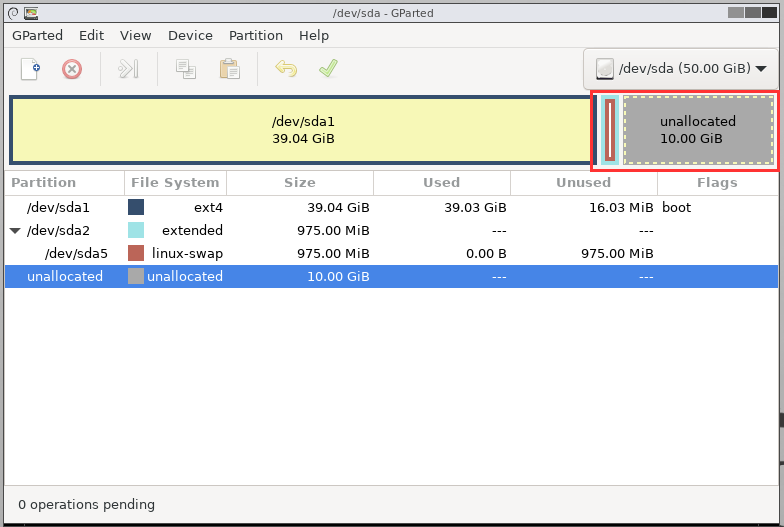
Select the swap partition - Partition - Delete

Select the /dev/sda2 extended partition and delete it as well

Apply all operations

Apply
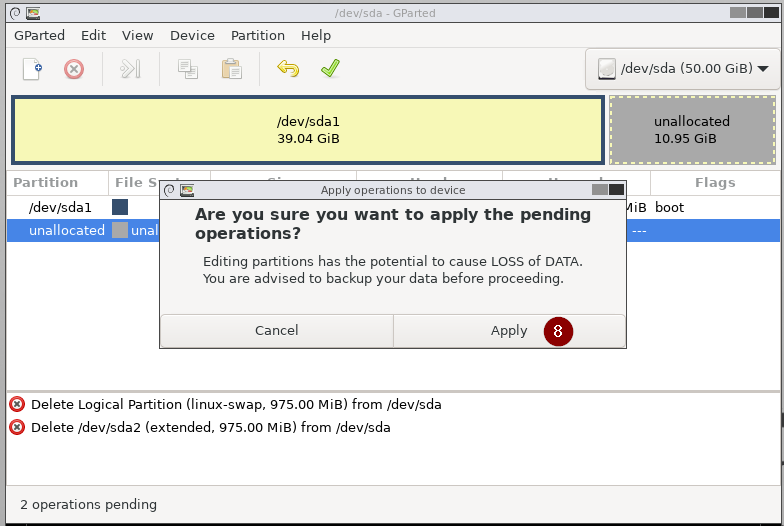
Close

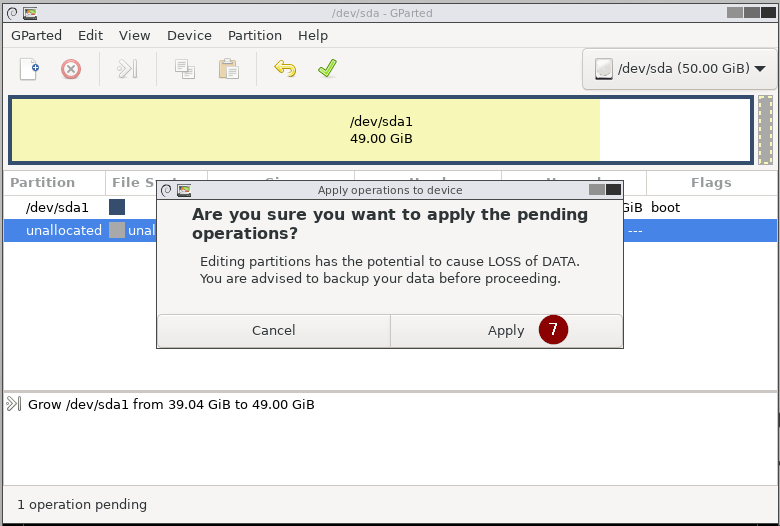
Select the primary partition /dev/sda1
Partition - Resize/Move

Change the new size and free space following to leave 1GB for the swap partition that we need to re-create

Apply all operations


Select the free space at the end of the drive
Partition - New

New size 1024
Create as extended partition

Apply all operations

Select the free space in the newly created extended partition /dev/sda2
Partition - New

New size 1023
File system: linux-swap

Apply all operations


Click Exit

Shutdown

Detach the GParted ISO from the VM
After changing the disk partitions, you might get these errors when you boot the VM, and the swap partition will fail to mount.
This also causes a boot delay of one and a half minutes


swapon --show commandIn this example, the swap partition isn't mounted

sudo blkid

sudo nano /etc/fstab
Replace the UUID for the swap partition in fstab with the ID you got from running blkid

Running swapon --show again shows that the swap partition has now been mounted

You might also get these messages on boot after resizing disk partitions
/dev/sda1 recovering journal
/dev/sda1 clean

We can fix these errors by booting the VM from a Debian live DVD and running fsck to check the file system
Download Debian Live ISO
https://cdimage.debian.org/debian-cd/current-live/amd64/bt-hybrid
debian-live-11.5.0-amd64-cinnamon.iso.torrent
Open Terminal and run the following commandsudo fsck -fy /dev/sda1
-f force a full check of the file system even if it seems clean
-y automatically try to fix any detected filesystem corruption

Comments