You can help support this website by buying me a coffee!

How to use Certbot to get an SSL certificate from Lets Encrypt for Nginx on Debian 11
Let's Encrypt is a non-profit certificate authority that you can use to get a free SSL certificate to secure your website using HTTPS.
Certbot is an open-source software package used to automatically request and renew Let's Encrypt SSL certificates for websites.
When you request a certificate from Lets Encrypt, you'll need to verify that you own the domain names in the certificate using either an HTTP or DNS challenge.
DNS Challenge
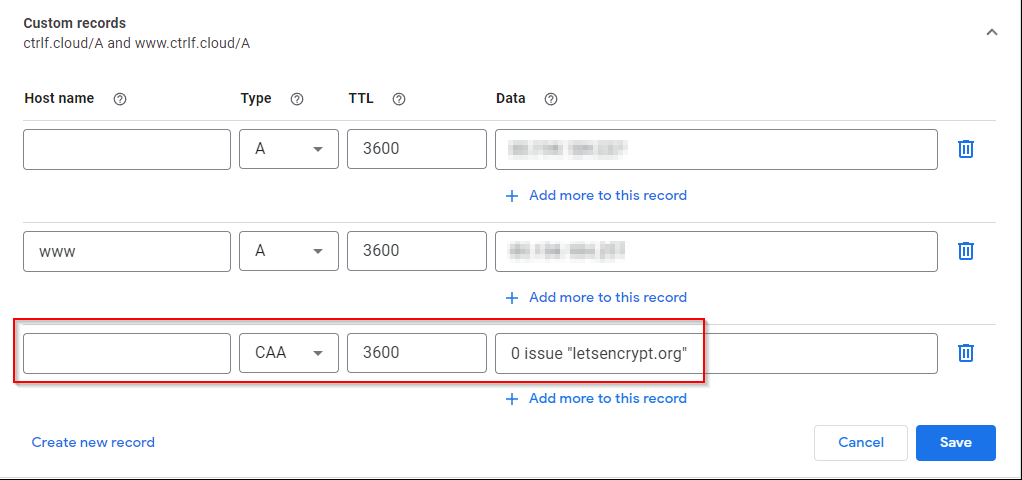
A DNS CAA record allows you to specify certificate authorities that are allowed to issue certificates for your domain. Adding a CAA record to your external DNS adds a layer of security by letting you list the approved certificate authorities.
Type: CAA
Data: 0 issue "letsencrypt.org"
# create letsencrypt folder
mkdir -p /var/www/letsencrypt/.well-known

# change group to nginx user www-data
chgrp www-data -Rf /var/www/letsencrypt

# set group ID of directory
chmod g+s /var/www/letsencrypt

# change folder permissions
chmod 750 -Rf /var/www/letsencrypt
This example is for a basic Nginx server block using HTTP. We will add the Lets Encrypt folder to the server block to make it accessible by the webserver to complete the acme-challenge.
nano /etc/nginx/sites-available/yourdomain.com.conf
# http server block
server {
    listen 80;
    root /var/www/yourdomain.com/html;
    index index.html;
    server_name yourdomain.com www.yourdomain.com;

# letsencrypt folder
    location ^~ /.well-known/acme-challenge/ {
    allow all;
    root  /var/www/letsencrypt/;
    default_type "text/plain";
    try_files $uri =404;
}
}
Check nginx confignginx -t
Reload nginxservice nginx reload
apt update && apt install snapd
sudo snap install core; sudo snap refresh core
sudo snap install --classic certbot
sudo ln -s /snap/bin/certbot /usr/bin/certbot
certonly get a certificate but do not install it, we will need to edit the Nginx config file to add the SSL certificate manually
--nginx use the Nginx plugin
-d comma separated list of domains to get a certificate for
-m email address for Let's Encrypt notifications
--agree-tos agree to the ACME Subscriber Agreement terms of service
--no-eff-email do not share your email address with the Electronic Frontier Foundation (EFF)
sudo certbot certonly --nginx -d yourdomain.com -d www.yourdomain.com -m email@yourdomain.com --agree-tos --no-eff-email
Successfully received certificate.
Certificate is saved at: /etc/letsencrypt/live/yourdomain.com/fullchain.pem
Key is saved at:/etc/letsencrypt/live/yourdomain.com/privkey.pem
This certificate expires on 2022-05-30.
These files will be updated when the certificate renews.
Certbot has set up a scheduled task to automatically renew this certificate in the background.

Next, we need to edit the website config file, redirect HTTP to HTTPS and add a server block for HTTPS that includes the SSL certificate.
nano /etc/nginx/sites-available/yourdomain.com.conf
# http server block
server {
    listen 80 default_server;
    root /var/www/yourdomain.com/html;
    index index.html;
    server_name yourdomain.com www.yourdomain.com;
    # letsencrypt folder
    location ^~ /.well-known/acme-challenge/ {
        allow all;
        root /var/www/letsencrypt/;
        default_type "text/plain";
        try_files $uri =404;
    }
    # http to https redirect
    location / {
        return 301 https://yourdomain.com$request_uri;
    }
}
# https server block
server {
    listen 443 ssl http2;
    server_name yourdomain.com www.yourdomain.com;
    root /var/www/yourdomain.com/html;
    index index.html;
    # ssl certificate
    ssl_certificate /etc/letsencrypt/live/yourdomain.com/fullchain.pem;
    ssl_certificate_key /etc/letsencrypt/live/yourdomain.com/privkey.pem;
    ssl_trusted_certificate /etc/letsencrypt/live/yourdomain.com/chain.pem;
}
Check nginx confignginx -t
Reload nginxservice nginx reload
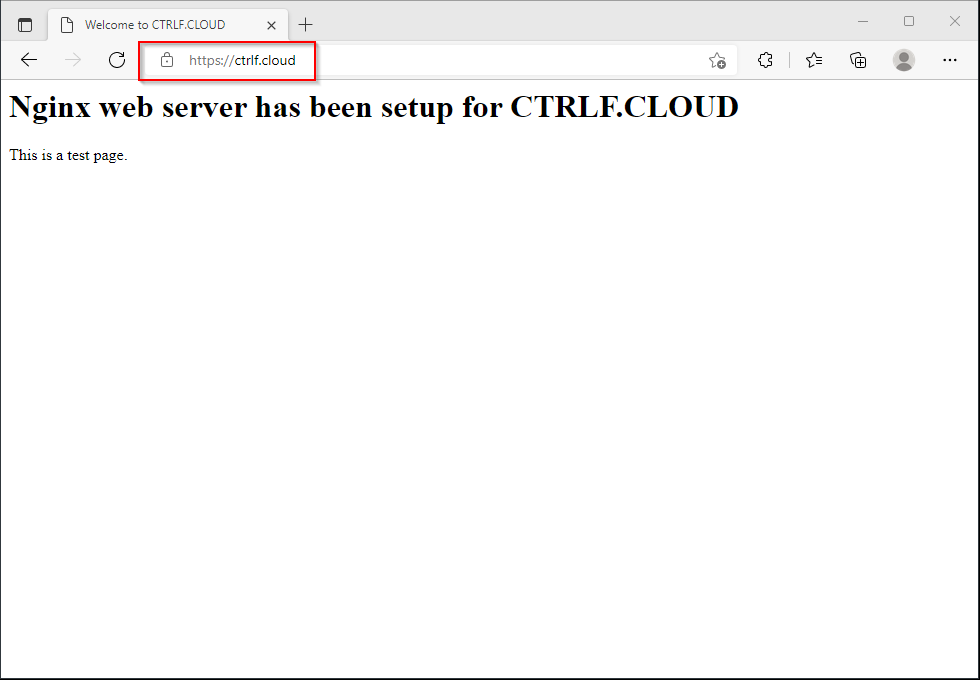


# list system scheduled taskssystemctl list-timers

# check Cerbot renewal timer statussystemctl status snap.certbot.renew.timer

# check Certbot system timersystemctl cat snap.certbot.renew.timer

# check the command that snap.certbot.renew runscat /etc/systemd/system/snap.certbot.renew.service
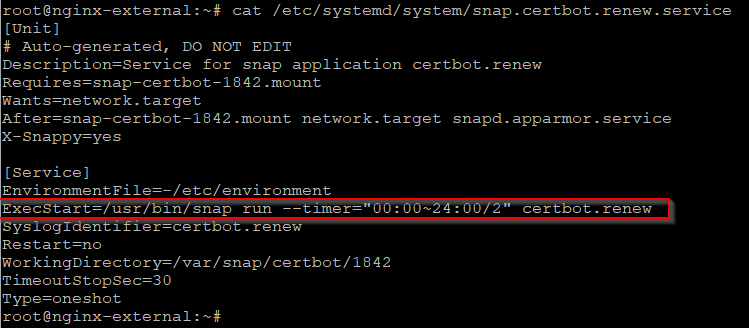
#check system logs for snap.certbot.renewjournalctl -u snap.certbot.renew
You can use the --dry-run option to test certificate renewal.
certbot certonly --nginx -d yourdomain.com -d www.yourdomain.com -m email@yourdomain.com --agree-tos --no-eff-email --dry-run
The --force-renew option is used to force certificates to renew even if they are not due to expire.
certbot certonly --nginx -d yourdomain.com -d www.yourdomain.com -m email@yourdomain.com --agree-tos --no-eff-email --force-renew

References:
Certbot - Nginx on Debian 10
https://certbot.eff.org/instructions?ws=nginx&os=debianbusterLets Encrypt - Challenge Types
https://letsencrypt.org/docs/challenge-typesCertbot Documentation
https://eff-certbot.readthedocs.io/en/stable/index.htmlArchWiki - Certbot
by Author
https://wiki.archlinux.org/title/Certbot
Comments